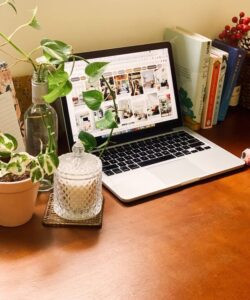
Simple Tips for Organizing a Clutter-Free Home Office Space

Creating a clutter-free home office space can significantly improve your productivity and make working from home more enjoyable. A neat and organized workspace helps reduce distractions, improve focus, and make it easier to find what you need when you need it. Whether you have a small corner or a dedicated room for your office, these simple tips will help you organize your space effectively.
Assess and Declutter Your Space
Before diving into organizing, take some time to assess your current workspace.
Step 1: Clear Everything Out
Start fresh by removing all items from your desk, shelves, drawers, and floor. This gives you a clean slate and helps you decide what is essential.
Step 2: Sort and Categorize
Group your items into categories such as office supplies, electronics, paperwork, books, and personal items. Ask yourself which items you actually use daily and which can be stored elsewhere, donated, or discarded.
Step 3: Eliminate Unnecessary Items
Be honest. If something hasn’t been used in the last few months or doesn’t belong in your office, it might be time to get rid of it. Less clutter means a clearer mind.
Designate Functional Zones
Organizing your home office by creating specific zones can make your workspace more efficient.
Work Zone
This is where your computer or laptop should be placed. Keep essentials such as your keyboard, mouse, and planner within arm’s reach.
Filing and Paperwork Zone
Use a filing cabinet, organizer, or document tray to store important papers. Keep this zone neat and regularly update or discard old documents.
Supply Zone
Pens, notebooks, scissors, and other office supplies should have a dedicated spot. Use drawer organizers, containers, or small bins to keep these items tidy.
Reference Zone
If you use books or manuals frequently, dedicate a shelf or bookend area near your desk to keep them accessible.
Use Storage Solutions Wisely
Choosing the right storage options can help you keep your home office clutter-free.
Drawer Organizers
Divide drawers into sections to prevent small items from mixing together. This makes it quick to find what you need without rummaging.
Vertical Storage
Utilize wall space by installing shelves, pegboards, or hanging organizers. This frees up desk space and keeps items visible.
Cable Management
Use clips, sleeves, or ties to keep cords and cables organized and out of the way. This makes your desk look cleaner and prevents accidental unplugging.
Label Everything
Label boxes, folders, and containers. Clear labeling saves time and reduces frustration when searching for items.
Establish Daily and Weekly Routines
Keeping your office organized is easier when you stick to simple routines.
Daily Tidying
Spend 5 minutes at the end of each day putting things back in their place. Clear your desk of unnecessary items and stack papers neatly.
Weekly Deep Clean
Set aside time once a week to sort paperwork, wipe surfaces, and reorganize supplies. This prevents clutter from building up over time.
Optimize Your Desk Setup
An ergonomically arranged workspace promotes comfort and productivity.
Declutter Your Desk Surface
Limit desk items to what you use daily. Store other items in drawers or shelves.
Choose a Comfortable Chair
A supportive chair can help prevent discomfort during long hours of work.
Adjust Monitor Height
Keep your computer screen at eye level to reduce neck strain.
Natural Light and Plants
Position your desk near a window for natural light, and consider adding a small plant. This can improve mood and reduce eye strain.
Digitize Where Possible
Going paperless can greatly reduce clutter.
Scan Documents
Convert important papers to digital files and store them securely. This reduces the amount of physical paperwork.
Use Cloud Storage
Save files to cloud services to access documents from any device and keep your workspace free of loose papers.
Manage Emails
Organize your inbox with folders, labels, and regular cleanups to maintain productivity.
Personalize Without Overdoing It
While a clutter-free space is important, adding personal touches can make your workspace inviting.
Choose Meaningful Decor
Limit decorations to a few items such as photos, artwork, or inspirational quotes.
Avoid Excessive Items
Too many personal items can make your workspace feel crowded and distracting.
—
By implementing these simple tips, your home office can become a clean, organized, and efficient space that supports your productivity and well-being. Remember, the key is to regularly maintain your organization habits and adjust your setup to fit your personal workflow. A clutter-free workspace can make a world of difference in how you work and feel every day.